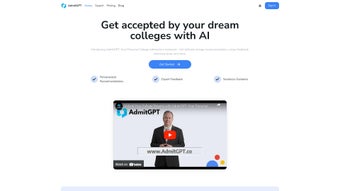

Overview
AdmitGPT is an AI‑driven, web‑based college‑application assistant that simplifies every stage of the admission journey. Designed for high‑school juniors, seniors, and even graduate‑school hopefuls, the platform combines large‑language‑model analysis with a user‑friendly interface to deliver real‑time, personalized guidance. After a quick sign‑up, students feed their academic transcript, extracurricular record, intended major, and geographic preferences into the system.
The AI instantly generates a curated shortlist of colleges that balance selectivity, fit, and career alignment, while also offering a detailed roadmap for each institution’s unique requirements. The built‑in essay analyzer scans drafts for structure, tone, originality, and prompt compliance, highlighting weak sentences and proposing stronger alternatives. A simulated interview module creates realistic admission‑interview scenarios, records video responses, and returns a performance score covering clarity, relevance, and confidence.
In addition, AdmitGPT’s scholarship finder taps into federal, state, and private databases to match eligible awards with the student’s profile. All data is stored in encrypted cloud storage that meets FERPA and GDPR standards, ensuring privacy without sacrificing accessibility. Whether accessed from a desktop browser or a mobile device, the responsive design guarantees a seamless experience across Windows, macOS, Linux, Android, and iOS.
The platform offers a generous free tier that showcases core functionalities and a feature‑rich Pro plan for power users who need advanced tracking, unlimited essay revisions, and premium scholarship data. Testimonials from dozens of successful applicants confirm that AdmitGPT can boost essay scores, sharpen interview confidence, and ultimately increase admission offers, making it a trusted companion for anyone serious about higher‑education success.
Key Features & Benefits
Core Capabilities that Drive Results
- AI‑Powered College Matching – Analyzes GPA, test scores, extracurriculars, and career goals to recommend a personalized shortlist of institutions that maximize fit and admission probability.
- Dynamic Essay Analyzer – Provides instant, line‑by‑line feedback on structure, voice, originality, and prompt alignment, plus a plagiarism check and rewrite suggestions.
- Interactive Interview Simulator – Generates realistic admission‑interview questions, records video responses, and delivers a detailed scorecard on clarity, relevance, and confidence.
- Comprehensive Scholarship Finder – Scours federal, state, and private scholarship databases, matching eligibility criteria to the student’s academic and demographic profile.
- Application Tracker (Pro) – Central dashboard for monitoring deadlines, uploading documents, and receiving automated reminders across multiple schools.
- Chrome Extension – Quick‑launch widget that enables on‑the‑fly essay edits, instant college suggestions, and live AI chat without leaving the current web page.
- Collaboration Hub – Securely share drafts with parents, teachers, or counselors and collect consolidated feedback within the platform.
- Secure Cloud Storage – All files are encrypted at rest (AES‑256) and in transit (TLS 1.3), guaranteeing FERPA and GDPR compliance.
- Free Plan Access – Allows users to explore core functionalities before committing to a paid subscription.
- Monthly AI Model Updates – Incorporates the latest admission trends, scholarship opportunities, and essay‑writing best practices.
These features work together to reduce the typical stress associated with college applications. By automating research, providing data‑driven writing assistance, and offering a structured timeline, AdmitGPT saves students countless hours while improving the quality of their submissions. The platform’s flexibility means it can serve as a standalone tool for self‑guided applicants or as a supplemental resource for school counselors managing dozens of candidates.
Installation, First‑Time Setup & Compatibility
Getting started with AdmitGPT is intentionally frictionless. Visit admitgpt.com, click “Sign Up,” and choose either an email/password pair or a Google single‑sign‑on. After confirming the activation link, the onboarding wizard walks the user through a series of concise prompts: upload a transcript (PDF, DOCX, or CSV), list extracurricular activities, select intended majors, and set geographic preferences.
Once the data is saved, the AI instantly produces a college shortlist and a personalized dashboard. For essay work, simply paste the text into the built‑in editor or upload a document; the system highlights problem areas in real time and offers side‑by‑side rewrite options. The interview simulator is accessed via the “Mock Interview” button, which launches a webcam‑enabled session; after each answer, a concise performance report is generated.
The Pro plan unlocks the Application Tracker, where users can add each school’s deadline, attach required documents, and receive push notifications 7, 3, and 1 day before due dates.
Compatibility
AdmitGPT is a web‑native solution, meaning it runs on any modern browser—including Chrome, Edge, Firefox, and Safari—across Windows 10/11, macOS Ventura and later, and major Linux distributions. The optional Chrome extension requires Chrome 92+ or any Chromium‑based browser. Mobile users can access the full feature set through responsive design on Android 8.0+ and iOS 13+ browsers; however, the webcam‑based interview module works best on desktop environments. Because all interactions occur over secure HTTPS connections and data is stored in the cloud, there are no OS‑specific limitations beyond standard browser support.
Pros & Cons
- Pros
- Highly accurate college matching that accounts for both academic and personal factors.
- Real‑time essay feedback that improves structure, tone, and compliance with prompts.
- Authentic interview simulation with detailed performance analytics.
- Generous free tier lets users test core capabilities without financial commitment.
- Secure, FERPA‑compliant cloud storage protects sensitive academic data.
- Chrome extension adds convenience for quick edits and on‑the‑go queries.
- Cons
- Pro plan pricing may be a hurdle for students on limited budgets.
- Advanced tools like the Application Tracker are locked behind the paid tier.
- AI suggestions sometimes need human polishing to preserve a unique voice.
- Lack of multi‑language support in the interview simulator.
- Requires a stable internet connection; offline functionality is minimal.
Frequently Asked Questions
Is AdmitGPT completely free to use?
AdmitGPT offers a free plan that includes basic college matching, limited essay feedback, and access to the interview simulator. Full‑feature access—including the Application Tracker, unlimited essay revisions, and premium scholarship data—requires a Pro subscription.
How does AdmitGPT protect my personal information?
All data is encrypted in transit (TLS 1.3) and at rest (AES‑256). The platform complies with FERPA and GDPR, and it never sells user data to third parties.
Can I use AdmitGPT on my smartphone or tablet?
Yes. The responsive web design works on Android and iOS browsers. While most features are fully functional, the webcam‑based interview simulator performs best on a desktop with a camera.
What types of scholarships does AdmitGPT locate?
AdmitGPT searches both merit‑based and need‑based scholarships from federal, state, and private sources, matching eligibility criteria to the student’s GPA, major, extracurriculars, and demographic information.
How often is the underlying AI model updated?
The language model receives monthly updates, incorporating the latest admission trends, scholarship opportunities, and essay‑writing best practices to keep recommendations current.
Conclusion & Call to Action
AdmitGPT stands out as a comprehensive, AI‑enhanced companion for anyone navigating the college‑application maze. Its blend of personalized college matching, instant essay refinement, realistic interview drills, and a robust scholarship database delivers tangible value that can shave weeks off the preparation timeline and boost confidence during high‑stakes moments. While the free tier offers a solid introduction, the Pro subscription unlocks the full suite—especially the Application Tracker, which becomes indispensable for managing multiple deadlines.
For students seeking a secure, up‑to‑date, and user‑friendly tool that consolidates every aspect of the admission process, AdmitGPT is a worthy investment. Ready to streamline your college journey? Start your free account today and experience the future of college admissions.
AdmitGPT delivers a seamless blend of AI insight and practical tools that genuinely simplify the college‑application workflow. The essay feedback is precise, the interview practice feels authentic, and the scholarship finder uncovers opportunities that many students overlook. Although the Pro plan carries a modest price, the ROI in terms of saved time and stronger applications makes it a smart purchase for serious applicants.



.png)



